Thursday, February 15, 2018

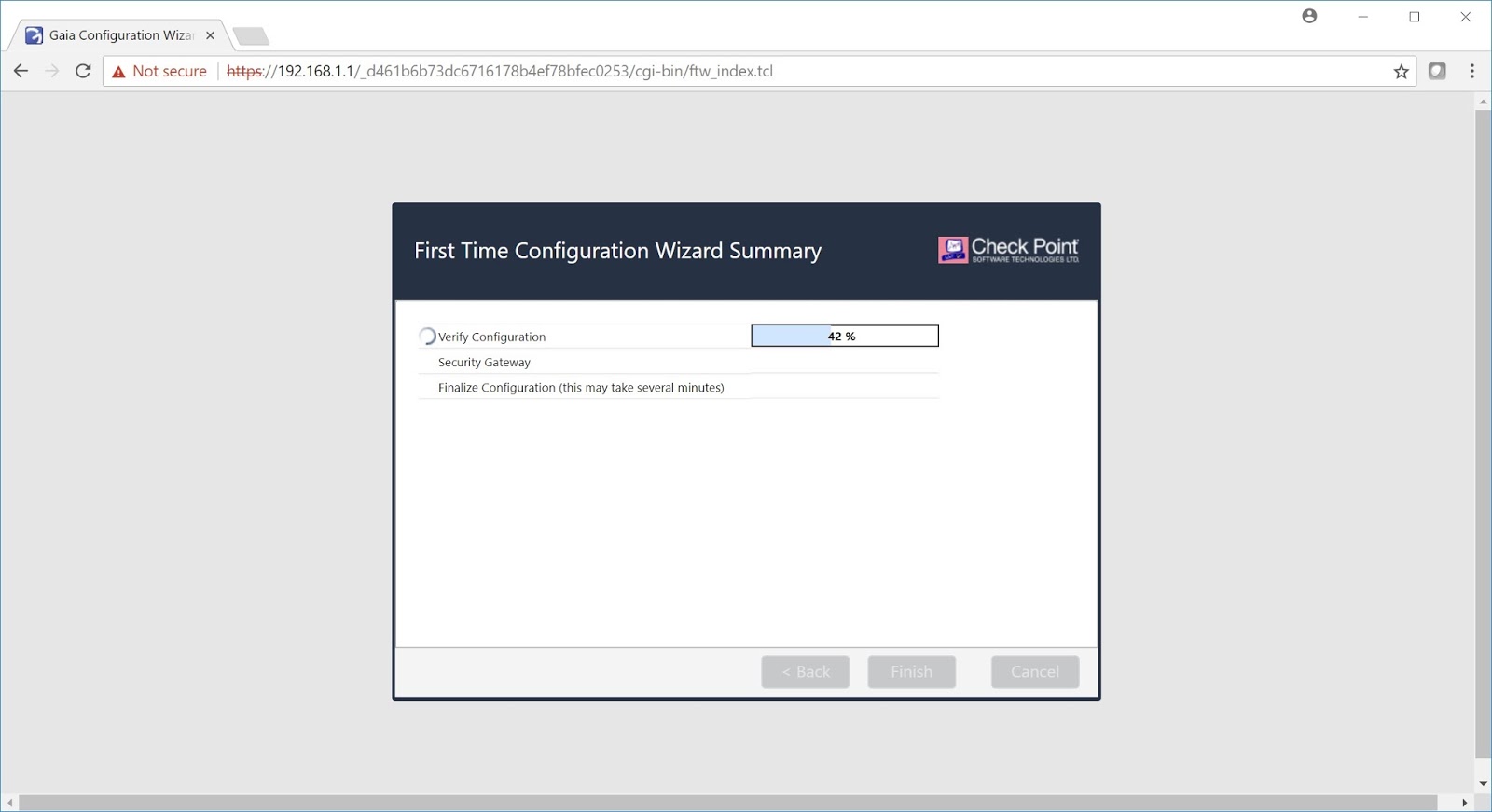
R80.10 - First Time WebUI


Quick Hardware Checkup

show asset system  -  Serial Number
show interface Mgmt   - MAC Address
rpm -qa | sort
cpinfo -y all   - Installed Jumbo Hotfix
cat $CPDIR/registry/HKLM_registry.data | grep Take
show installer status  - CPUSE Build
cpview - Memory
clish -c "set snmp agent on"   - Expert mode calling CLISH


Checkup after Firewall Cluster is initial on Line

arp -a
ifconfig -a
route -n
netstat -an

cphaprob list
cphaprob stat
cphaprob if
cphaprob -a if
cphaconf show_bond -a

fw ctl iflist
cplic print
cpwd_admin list

fw stat
fw ver
fw ctl arp
fw tab -t connections -s

Monday, February 12, 2018

R80.10 Security Management


  1. Global Tool Bar
  2. Session Management Tool Bar
  3. Navigation Tool Bar
  4. System Information Area
  5. Object Bar (F11)
  6. Validation Plane
  7. Command Line Button 
SecurID 

SecurID requires users to both possess a token authenticator and to supply a PIN or password. Token authenticators generate one-time passwords that are synchronized to an RSA ACE/server and may come in the form of hardware or software. Hardware tokens are key-ring or credit card-sized devices, while software tokens reside on the PC or device from which the user wants to authenticate. All tokens generate a random, one-time use access code that changes approximately every minute. When a user attempts to authenticate to a protected resource, the one-time use code must be validated by the ACE/server. 

Using SecurID, the Security Gateway forwards authentication requests by remote users to the ACE/server. For administrators, it is the Security Management Server that forwards the requests. ACE manages the database of RSA users and their assigned hard or soft tokens. The gateway or the Security Management Server act as an ACE/Agent 5.0 and direct all access requests to the RSA ACE/server for authentication. For additional information on agent configuration, refer to ACE/server documentation. There are no specific parameters required for the SecurID authentication method.


Configuring a SecurID Server for Administrators

These instructions show how to configure a SecurID server for SmartConsole administrators. To learn how to configure a SecurID server, refer to the vendor documentation. To configure the Security Management Server for SecurID: 
1. Connect to the Security Management Server. 
2. Copy the sdconf.rec file to the /var/ace/ folder If the folder does not exist, create the folder. 
3. Give the sdconf.rec file full permissions. Run: chmod 777 sdconf.rec 

To configure a SecurID Server for a SmartConsole administrator: 
1. In SmartConsole, click Objects > More Object Types > Server > More > New SecurID. 
2. Configure the SecurID Properties: 
     a) Give the server a Name. It can be any name. 
     b) Click Browse and select the sdconf.rec file. This must be a copy of the file that is on the           Security Management Server. 
c) Click OK. 
3. Add a new administrator: 
   a) Go to Manage & Settings > Permissions & Administrators > Administrators.
   b) Click New. The New Administrator window opens. 
   c) Give the administrator a name. 
   d) Assign a Permission Profile. 
   e) In Authentication method, select SecurID. 
4. In the SmartConsole Menu, click Install Database


Friday, February 9, 2018

R80.10 Database


Database Revisions In pre-R80.10 versions, revisions were saved on the server as a backup, to restore in case of disaster. Each revision replicates the management database completely.

The new R80.10 architecture has built-in revisions. Every time you publish, an additional revision is created and automatically stored. Each revision establishes a new baseline in the database and contains only the changes from the previous revision. Thus, it consumes less disk space and is created faster than before. This solution improves performance and many of the new management capabilities are based on it.

Faster policy verification using the difference between installed revisions.
More efficient Management High Availability based on the changes made since the previous synchronization.

 The following diagram illustrates the database revisions over time:


psql_client cpm postgres
...


SELECT table_name
 FROM information_schema.tables
 WHERE table_type='BASE TABLE' and table_name like '%___%'
ORDER BY table_name;


psql_client cpm postgres -f /some_path/remove_dynlog_sccp_state_machine.txt

PSQL  - R77.30  Front End Database

SOLR  - R80.10  Backend Database   (Can read SQL Tables )


Install Policy In R80.10, 

Policy Verification underwent a major improvement. From our investigations, we found that in large rulebases, a significant part of the install policy time is taken by the verification phase. Using the R80.10 built-in revision technology, we were able to significantly improve the install policy time for large rulebases. The new solution verifies only the rules changed since the last policy installation. 

For example: On tests we performed on a certain large rulebase, on-going policy installations of R80.10 were six times faster than a similar policy installation, with similar changes, in R77.30. Note: First policy install after upgrading to R80.10 might still take more time, because it creates the first baseline. Consequent installations will benefit from the mentioned improvement. Starting with R80.10, on R80.10 gateways, the Access Control policy can be installed separately from the Threat Prevention policy. 

Benefits include: 
Improved performance when installing Access/Threat only. 
Role segregation support for organizations in which Threat is managed separately from Access. One administrator will not affect the other team’s policy. 

Monday, February 5, 2018

Common Check Point Commands (ccc) v0.5

#!/bin/bash
#
# Common Check Point Commands (ccc) for R77.30 / R80.10
# Version 0.5
#
# Script source     : https://community.checkpoint.com/docs/DOC-2214
# Project idea      : Moti Sagey
# Script created by : Danny Jung
# Interactive mode  : Marko Keca

# Print main menu on script start
i=0;

while [ 1 ]
do
case $i in
  0)     echo ""
          echo "##############################################"
          echo "### Common Check Point Commands (ccc) v0.5 ###"
          echo "##############################################"
          echo ""
          echo "[ MAIN MENU ]"
          echo ""
          echo "a: Firewall Mananagement & Gateway"
          echo "b: Firewall Mananagement"
          echo "c: Firewall Gateway"
          echo "d: ClusterXL Troubleshooting"
          echo "e: VPN Troubleshooting"
          echo "f: Multicore Performance Tuning"
          echo "g: VSX Troubleshooting"
          echo "h: MDS Troubleshooting"
          echo "i: Standalone Firewall & Management"
          echo ""
          echo "0: Main menu"
          echo "q: EXIT"
          echo ""
          ;;
  a)  echo ""
    echo "[ Firewall Mananagement & Gateway ]"
          echo "1: cat /etc/cp-release; installed_jumbo_take - Show Check Point version"
          echo "2: cplic print -x - Show installed CP licenses"
          echo "3: cpstat os -f ifconfig - Show advanced interface summary"
          echo "4: df -h - Show available disk space"
          echo "5: cpview - Start CPview"
          echo "6: clish -c "show configuration" - Show running Clish configuration"
          echo "7: enabled_blades - Show enabled blades"
          echo "8: cpinfo -y all - Show installed packages"
          echo ""
          echo "0: MAIN MENU"
          echo "q: EXIT"
          ;;
  b)      echo ""
    echo "[ Firewall Mananagement ]"
          echo "9: fwm stat - Show status"
          echo "10: cpstat mg - Show connected management clients"
          echo ""
          echo "0: MAIN MENU"
          echo "q: EXIT"
          ;;
  c)     echo ""
    echo "[ Firewall Gateway ]"
          echo "11: fw stat; ips stat; cpstat -f all polsrv - Show FW + IPS + Policy Server status"
          echo "12: fw getifs - Show interfaces, IP addresses + netmask"
          echo "13: cpstat blades - Quickly show top rule hits, connections and packets stats"
          echo "14: cpstat fw - Show statistics of interface connections"
          echo "15: netstat -atun - Show established connections"
          echo "16: fw ctl zdebug drop - Show dropped connections + reason"
          echo "17: fw tab -s -t connections - Show load on FW gateway"
          echo "18: fwaccel stat - Show acceleration status on FW gateway"
          echo "19: fwaccel stats - Show acceleration status on FW gateway"
          echo "20: fwaccel stats -s - Show acceleration status on FW gateway"
          echo "21: cpwd_admin list - Show CP process status"
          echo "22: fw fetch localhost - Reload security policy from localhost"
          #echo "23: fw fetch fwmgmt - Reload security policy from FW management"
          echo "24: fw ctl set int fw_antispoofing_enabled 0; sim feature anti_spoofing off ; fwaccel off ; fwaccel on - Disable Anti-Spoofing"
          echo "25: fw ctl set int fw_antispoofing_enabled 1; sim feature anti_spoofing on ; fwaccel off ; fwaccel on - Enable Anti-Spoofing"
          echo ""
          echo "0: MAIN MENU"
          echo "q: EXIT"
          ;;
     d)     echo ""
       echo "[ ClusterXL Troubleshooting ]"
          echo "26: cphaprob stat; cpstat -f all ha - Show ClusterXL mode & status"
          echo "27: cphaprob -l list - Show ClusterXL devices & status"
          echo "28: cphaprob -a if - Show ClusterXL interfaces"
          echo "29: fw ctl pstat - Show ClusterXL sync status"
          echo "30: clish -c "show routed cluster-state detailed" - Show ClusterXL failover history"
          echo "31: clusterXL_admin down - Create ClusterXL faildevice"
          echo "32: clusterXL_admin up - Delete ClusterXL faildevice"
          echo "33: cphaconf cluster_id get - Show Cluster ID"
          echo ""
          echo "0: MAIN MENU"
          echo "q: EXIT"
          ;;
  e) echo ""
    echo "[ VPN Troubleshooting ]"
          echo "34: vpn tu - Start VPN tunnel utility"
          echo "35: vpn debug trunc; vpn debug on; vpn debug ikeon - Start VPN debug mode"
          echo "36: vpn debug ikeoff; vpn debug off; file $FWDIR/log/ike.elg - Stop VPN debug mode"
          echo ""
          echo "0: MAIN MENU"
          echo "q: EXIT"
          ;;
  f)     echo ""
    echo "[ Multicore Performance Tuning ]"
          echo "37: fw ctl multik stat - Show multi-kernel connections & peak connections"
          echo "38: fw ctl affinity -l -v - Show interface affinity & IRQs"
          echo "39: fw ctl affinity -l -a - Show interface affinity"
          echo "40: netstat -ni - To check for drop on interfaces"
          echo "41: ps axwf -o pid,cpuid,pcpu,pmem,time,comm - Show processes & daemons utilization by cpu-core, mem"
          echo ""
          echo "0: MAIN MENU"
          echo "q: EXIT"
          ;;
  g) echo ""
    echo "[ VSX Troubleshooting ]"
          echo "42: vsx stat -v - Show VSX status"
          echo ""
          echo "0: MAIN MENU"
          echo "q: EXIT"
          ;;
  h) echo ""
    echo "[ MDS Troubleshooting ]"
          echo "43: mdsstat - Show MDS status"
          echo ""
          echo "0: MAIN MENU"
          echo "q: EXIT"
          ;;
  i) echo ""
    echo "[ Standalone Firewall & Management ]"
          echo "44: cpwd_admin stop -name FWM -path "$FWDIR/bin/fw" -command "fw kill fwm" - Stop Firewall Management only"
          echo "45: cpwd_admin start -name FWM -path "$FWDIR/bin/fwm" -command "fwm" - Start Firewall Management only"
          echo ""
          echo "0: MAIN MENU"
          echo "q: EXIT"
          ;;
  1) cat /etc/cp-release; installed_jumbo_take
    ;;
  2) cplic print -x
    ;;
  3) cpstat os -f ifconfig; ls -1 /sys/class/net | grep -v ^lo | xargs -I % sh -c 'ethtool %; ethtool -i %' | grep '^driver\|Speed\|Duplex\|Settings' | sed "s/^/ /g" | tr -d "\t" | tr -d "\n" | sed "s/Settings for/\nSettings for/g"; echo
    ;;
  4) df -h
    ;;
  5) cpview
    ;;
  6) clish -c "show configuration"
    ;;
  7) enabled_blades
    ;;
  8) cpinfo -y all
    ;;
  9) fwm stat
    ;;
  10) cpstat mg
    ;;
  11) fw stat; ips stat; cpstat -f all polsrv
    ;;
  12) fw getifs
    ;;
  13) cpstat blades
    ;;
  14) cpstat fw
    ;;
  15) netstat -atun
    ;;
  16) fw ctl zdebug drop
    ;;
  17) fw tab -s -t connections
    ;;
  18) fwaccel stat
    ;;
  19) fwaccel stats
    ;;
  20) fwaccel stats -s
    ;;
  21) cpwd_admin list
    ;;
  22) fw fetch localhost
    ;;
  23) fw fetch fwmgmt
    ;;
  24) fw ctl set int fw_antispoofing_enabled 0; sim feature anti_spoofing off ; fwaccel off ; fwaccel on
    ;;
  25) fw ctl set int fw_antispoofing_enabled 1; sim feature anti_spoofing on ; fwaccel off ; fwaccel on
    ;;
  26) cphaprob stat; cpstat -f all ha
    ;;
  27) cphaprob -l list
    ;;
  28) cphaprob -a if
    ;;
  29) fw ctl pstat
    ;;
  30) clish -c "show routed cluster-state detailed"
    ;;
  31) clusterXL_admin down
    ;;
  32) clusterXL_admin up
    ;;
  33) cphaconf cluster_id get
    ;;
  34) vpn tu
    ;;
  35) vpn debug trunc; vpn debug on; vpn debug ikeon
    ;;
  36) vpn debug ikeoff; vpn debug off; file $FWDIR/log/ike.elg
    ;;
  37) fw ctl multik stat
    ;;
  38) fw ctl affinity -l -v
    ;;
  39) fw ctl affinity -l -a
    ;;
  40) netstat -ni
    ;;
  41) ps axwf -o pid,cpuid,pcpu,pmem,time,comm
    ;;
  42) vsx stat -v
    ;;
  43) mdsstat
    ;;
  44) cpwd_admin stop -name FWM -path "$FWDIR/bin/fw" -command "fw kill fwm"
    ;;
  45) cpwd_admin start -name FWM -path "$FWDIR/bin/fwm" -command "fwm"
    ;;
  q)
    exit 0
    ;;
  *)
    echo -e "Enter a command: "
    ;;
esac

echo ""
echo -en "Enter a command: "
read i

done
exit 0

Thursday, February 1, 2018

Gaia Command Line

SHOW COMMANDS

save configsave the current configuration
show commandsshows all commands
show allowed-client allshow allowed clients
show arp dynamic alldisplays the dynamic arp entries
show arp proxy allshows proxy arp
show arp static alldisplays all the static arp entry
show asdisplays autonomous system number
show assets alldisplay hardware information
show bgp statsshows bgp statistics
show bgp summaryshows summary information about bgp
show vrrp statsshow vrrp statistics
show bootp statsshows bootp/dhcp relay statistics
show bootp interfaceshow all bootp/dhcp relay interfaces
show bonding groupshow all bonding groups
show bridging groupsshow all bridging groups
show backupsshows a list of local backups
show backup statusshow the status of a backup or restore operation being performed
show backup last-successfulshow the latest successful backup
show backup logsshow the logs of the recent backups/restores performed
show clockshow current clock
show configurationshow configuration
show-config stateshows the state of configuration either saved or unsaved
show dateshows date
show dns primaryshows primary dns server
show dns secondaryshows secondary dns server
show extended commandsshows all extended commands
show groupsshows all user groups
show hostnameshow host name
show inactivity-timeoutshows inactivity-timeout settings
show interfacesshows all interfaces
show interfaces ethxshows settings related to an interface “x
show interfacesshow detailed information about all interfaces
show ipv6-stateshows ipv6 status as enabled or disabled
show management interfaceshows management interface configuration
show ntp activeshows ntp status as enabled or disabled
show ntp serversshows ntp servers
show ospf databaseshows ospf database information
show ospf neighborsshows ospf neighbors information
show ospf summaryshows ospf summary information
show pbr rulesshows policy based routing rules
show pbr summaryshows policy based routing summary information
show pbr tablesshow pbr tables
show routeshows routing table
show routed versionshows information about routed version
show snapshotsshows a list of local snapshots
show snmp agent-versionshows whether the version is v1/v2/v3
show snmp interfacesshows snmp agent interface
show snmp traps receiversshows snmp trap receivers
show timeshows local machine time
show timezoneshow configured timezone
show uptimeshow system uptime
show usersshow configured users and their homedir, uid/gid and shell
show user <username>shows settings related to a particular user
show version allshows version related to os edition, kernel version, product version etc
show virtual-system allshow virtual-systems configured
show vpn tunnelsuse to show the vpn tunnels
show vrrp statsshows vrrp status
show vrrp interfacesshows vrrp enabled interfaces

SET COMMANDS

add allowed-client host any-host / add allowed-client host <ip address>add any host to the allowed clients list/ add allowed client by ipv4 address
add backup localcreate and store a backup file in /var/cpbackups/backups/( on open servers) or /var/log/cpbackup/backups/ ( on checkpoint appliances)
add backup scp ip value path value username valueadds backup to scp server
add backup tftp ip value [ interactive ]adds backup to tftp server
add snapshotcreate snapshots which backs up everything like os configuration, checkpoint configuration, versions, patch level), including the drivers
add syslog log-remote-address <ip address> level <emerg/alert/crit/err/warning/notice/info/debug/all>specifies syslog parameters
add user <username> uid <user-id-value> homedircreates a user
expertexecutes system shell
haltput system to halt
historyshows command history
lock database overrideoverrides the config-lock settings
quitexits out of a shell
rebootreboots a system
restore backup local [value]restores local backup interactively
rollbackends the transaction mode by reverting the changes made during transaction
save configsave the current configuration
set backup restore local <filename>restores a local backup
set core-dump <enable/disable>enable/disable core dumps
set date yyyy-mm-ddsets system date
set dhcp server enableenable dhcp server
set dns primary <x.x.x.x>sets primary dns ip address
set dns secondary <x.x.x.x>sets secondary dns ip address
set expert-passwordset or change password for entering into expert mode
set edition default <value>set the default edition to 32-bit or 64-bit
set hostname <value>sets system hostname
set inactivity-timeout <value>sets the inactivity timeout
set interface ethipv4-address x.x.x.x mask-length 24adds ip address to an interface
set ipv6-state on/offsets ipv6 status as on or off
set kernel-routes on/offsets kernel routes to on/off state
set management interface <interface name>sets an interface as management interface
set message motd valuesets message of the day
set ntp active on/offactivates ntp on/off
set ntp server primary x.x.x.x version <1/2/3/4>sets primary ntp server
set ntp server secondary x.x.x.x version <1/2/3/4>sets secondary ntp server
set snapshot revert<filename>revert the machine to the selected snapshot
set snmp agent on/offsets the snmp agent daemon on/off
set snmp agent-version <value>sets snmp agent version
set snmp community <value> read-onlysets snmp readonly community string
add snmp interface <interface name>sets snmp agent interface
set snmp traps receiver <ip address> version v1 community valuespecifies trap receiver
set snmp traps trap <value>set snmp traps
set static-route x.x.x.x/24 nexthop gateway address x.x.x.x onadds specific static route
set time <value>sets system time
set time zone <time-zone>sets the time zone
set vsx offsets vsx mode on
set vsx onsets vsx mode off
set user <username> passwordsets users password
set web session-timeout <value>sets web configuration session time-out in minutes
set web ssl-port <value>sets the web ssl-port for the system

Saturday, January 27, 2018

Jumbo Hotfix Accumulator for R80.10 (R80_10_jumbo_hf)

Jumbo Hotfix Accumulator for R80.10 (R80_10_jumbo_hf)
Solution
Table of Contents:
  • Introduction
  • Availability
  • Important Notes
  • List of resolved issues per HotFix
  • Installation instructions
  • Uninstall instructions
  • List of replaced files
  • Revision History
Collapse the Entire Article

Introduction

R80.10 Jumbo Hotfix Accumulator is an accumulation of stability and quality fixes resolving multiple issues in different products.
This Incremental Hotfix and this article are periodically updated with new fixes.
The list below describes each resolved issue and provides a Take number, in which the fix was included. A resolved issue is included in the Incremental Hotfix starting from the Take number listed in this table (inclusive). In addition, you can find the date when the take was published in the table below.
Refer to sk98028 - Jumbo Hotfix Accumulator FAQ.

Availability

Effective January 18th, 2018, the R80.10 image has been replaced with Take 462.
Only R80.10 Jumbo Hotfix Accumulator Take 70 and above can be installed on top of this R80.10 image Take 462.
  • General Availability Take

    Take_56 is the latest General Availability release that can be directly downloaded from Check Point Cloud using CPUSE and from this article:
    TakeDateCPUSE offline
    package
    SmartConsole package
    Take_5623 Nov 2017 (TGZ) (EXE)
    • Effective Dec 12th 2017, the General Availability Take_56 is available for CPUSE online installation (it replaces Take_42).
    • Effective January 7th, 2018, SmartConsole package has been updated (Build 024)
  • Ongoing Take

    TakeDateCPUSE Online IdentifierSmartConsole package
    Take_7015 Jan 2018Check_Point_R80_10_JUMBO_HF_Bundle_T70_sk116380_FULL.tgz (EXE)

Important Notes

  • Each of the Jumbo Hotfix Accumulator Takes is based on Check Point R80.10.
  • For CPUSE installation, CPUSE Agent build 1298 and above (refer to sk92449) must be used.
  • It is recommended to install Jumbo Hotfix Accumulator on all the R80.10 machines running on Gaia OS.
  • This Jumbo Hotfix Accumulator is suitable for these products and configurations:
    • Security Gateway
    • StandAlone
    • Cluster
    • VSX
    • Security Management Server
    • Multi-Domain Security Management Server
    • Log Server
    • Multi-Domain Log Server
    • SmartEvent Server
    • vSEC
  • This Jumbo Hotfix Accumulator has to be installed only after successful completion of Gaia First Time Configuration Wizard and reboot.
  • To check the Take number of the currently installed R80.10 Jumbo Hotfix Accumulator (if it is installed):
    [Expert@HostName:0]# cpinfo -y all

List of resolved issues per HotFix

Enter the string to filter the below table: 

IDProductSymptoms
R80.10 Jumbo HotFix - Ongoing Take 70 (15 Jan 2018)
TPM-494Multi-Domain Security ManagementGlobal policy assignment fails after removing staging overrides in the Global Domain.
PMTR-1458,
02659051
Multi-Domain Security Management Attaching a central license from Multi-Domain Security Management to a Domain/CMA creates duplicate license objects in SmartUpdate, which cannot be deleted.
Refer to sk120833.
API-146Security Management Enhancement: New flags to control the API commands output in full details level.
Refer to sk121292
API-124Security ManagementThe "show-access-rulebase" API command fails if the rulebase contains rules with "Encrypt" or "Client Encrypt" action.
CPM-948Security ManagementThere is no status in the SmartView Monitor for Mobile Access blade. 
PMTR-2379Security Managementquerydb_util generates core file when cannot connect to Security Management server. 
PMTR-2376Security Managementfwm process is down during gateway creation after configuring shared secret for VPN community. 
PMTR-2722Security Management After reboot or HA Full sync, some objects are not visible in a specific private session. 
PMTR-712Security GatewayCPD process exits with core dump generated while stopping CPD / rebooting the system / restarting watchdog.
PMTR-1310Security Gateway Connections configured with Drop and Block message were actually dropped, but log appears as Accept log.
PMTR-1388Security Gateway Upon packet loss, the clients' retransmit "strategy" triggers an issue of reassembling the TCP stream incorrectly. The SSL stream cannot be decrypted like this, so the SSL session is closed.
Refer to sk121738.
PMTR-2660,
02666905
Security GatewayWhen DHCP is configured to work with VPN, DHCP Relay traffic is dropped. 
PMTR-709 LoggingEnhancement: Allow viewing HTTPS related fields according to permission profile in LEA. When configuring a permission profile that allows HTTPS, you will be able to see the related fields when receiving them with LEA OPSEC client, instead of obfuscating them.
PMTR-1771,
02525352 
Gaia Gaia backup files are not created on Multi-Domain Management server.
Refer to sk119401
PMTR-2368Gaia Configuring more than 200 logical interfaces can cause routed to crash upon the next change in configuration.
PMTR-1442,
02554018 
SmartLog SmartConsole search does not work for strings that include non-English characters. For example, Cyrillic characters and characters with accent marks.
Refer to sk120293
PMTR-1224,
02562873 
SmartLog After performing a Gradual Upgrade of the Domain Management Server, no logs are displayed in the relevant domain until running the mdsstop;mdsstart commands on MLM.
TEX-412 Threat ExtractionSecurity enhancements for Data Loss Prevention and Threat Extraction blades 
PMTR-1932, 02590986 Threat EmulationLinks inside email with domain suffix (e.g. www.example.com) are emulated as .com files. 
PMTR-2891Anti-Virus,
Threat Emulation 
Enhancement in Anti-Virus to allow replacement of Kaspersky Labs components.
For removal instructions see sk118539. For further information visit http://www.checkpoint.com/kaspersky
PMTR-4787DLPThe dlpu process crashes in some cases when DLP blade is enabled.
PMTR-1303 Mobile Access Connection to internal sites or Capsule Docs server via Mobile Access Blade's Reverse Proxy feature fails due to an incorrectly forwarded 'Host' header. 
PMTR-2089 Mobile AccessAn incorrect policy installation warning "R80.10 gateways cannot be included in the Mobile Access Legacy Policy when Mobile Access Unified Policy is the selected policy source" is shown when installing the Access Control policy on a Mobile Access gateway and the legacy Mobile Access policy is empty. 
PMTR-1183 URL Filtering Enhancements in categorization in cases where only URL Filtering is enabled. 
PMTR-2594 HTTPS InspectionHTTPS based traffic is bypassed when using a category based HTTPS inspection rulebase on a SMB gateway without URL Filtering blade enabled. 
R80.10 Jumbo HotFix - General Availability Take 56 (23 Nov 2017)
PMTR-683,
02648460
Security ManagementUsers that are not configured with Multi-Domain super user permissions, experience slowness in running queries.
PMTR-2697Security ManagementFWM process restarts when trying to read the $FWDIR/tmp/fwmtrace.log file from an incorrect directory where this file does not exist.
R80.10 Jumbo HotFix - Ongoing Take 53 (25 Oct 2017)
PMTR-1702Security ManagementPolicy installation fails when Access Role is configured in the Access Control policy on a gateway with no Identity Awareness enabled. 
SMCPOL-122Security ManagementWhen policy installation fails with "Operation incomplete due to timeout" error, timeout can be increased via GuiDBedit Tool.
Refer to sk112353
CPM-830Security ManagementFWM process crash in Management HA environment when $FWDIR/tmp/fwmtrace.log file reaches 2GB.
PMTR-738Security GatewayCluster member IP addresses is not added correctly during policy generation. 
PMTR-1421Gaia OS Outputs of "top" and "ps -aux" commands show lspci as zombie process.
Refer to sk121891.
PMTR-330DLP Enhancement: Maximum allowed SMTP headers length can be configured.
Refer to sk119293.
PMTR-332DLPEnhancement: Improved DLP stability.
GM-2855 SMB AppliancesEnhancement: IPv6 support for 700 / 1200R / 1400 SMB Appliances.
Refer to sk118816.
R80.10 Jumbo HotFix - General Availability Take 42 (17 Sept 2017)
Note: This Take replaces Take 40 released on 12 Sept 2017.
It is recommended to install Take 42
GAIA-1060Security GatewaySIC status is "Not Communicating" and CPD process restarts after installing R80.10 Jumbo HotFix Take 40.
Refer to sk120494.
UP-94,
02556604
Security GatewayWebsites with short Host headers (like ab.com) cannot be loaded.
TEX-328Threat ExtractionSecurity gateway hangs when enabling Threat Extraction Web API.
TPM-373Threat PreventionThe API command "show threat-profile" wrongly reports configuration of internal settings which causes failure in certain scenarios. 
PMTR-748Anti-Virus, Anti-BotCrash in Anti-Virus & Anti-Bot blades. 
CPM-806Security ManagementPolicy installation fails on DAIP gateways after changing Domain Server from Standby to Active.
PMTR-464Security ManagementAfter upgrade to R80.x, Administrator's "email" field does not show in SmartConsole. 
PMTR-466Security ManagementRulebase initialization fails after CMA migration from R77.30 to R80.10 via cma_migrate.
TPM-419 Management Console After a period of time in which multiple IPS updates have been performed, the database size can become very large because of unused data.
  • Enhancement: new procedure to clean old / unused IPS version in the database
TPM-334 Management Console Geo policy allows to configure several rules for the same country, causing incorrect policy enforcement.
PMTR-631SmartEvent In SmartEvent policy, when selecting two 'Event Fields' with the same 'Log Field' in 'Event Format' tab, the Event fails to generate. 
PMTR-625SmartEventWhen automatic reaction mail is sent, the resolving name of source and destination is missing and only the source and destination IP address is shown. 
PMTR-655SmartEventWhen automatic reaction email is sent, wrong "Start time" is displayed.
R80.10 Jumbo HotFix - Take 37 (04 Sept 2017)
PMTR-397Security Gateway export_p12 feature is missing in VPN utilities.
PMTR-418Security GatewaySecurity Gateway / Active cluster member freezes / locks up randomly.
Refer to sk114977.
PMTR-454Security Gateway Login to Smart Console fails with "The server did not provide a meaningful replay; This might be caused by a contract mismatch, a Premature session shutdown or an internal server error" error. 
PMTR-469Security Gateway FWM process consumes high CPU in case of unreachable DAIP objects existing in the system.
PMTR-458Security Gateway Enhancement: Performance of Global Domain Assignment for Open Servers with 9-24 GB memory is improved.
PMTR-473Security GatewayEnhancement: Improved Security Gateway stability when it is configured as proxy. 
BS-175Security Gateway Some objects are missing when querying for unused objects.
SL-441Security Gateway In environment with more than 50 Log servers, log queries return results only from 50 log servers.
GAIA-634Gaia OS Enhancement: Improved clish stability.
CPM-792Security Management Log Server status in Monitoring view is not presented for cluster members of Full HA environment. 
CPM-734Multi-Domain Security ManagementGlobal policy assignment fails after section manipulation in the Global Domain's rulebase. 
BS-149Multi-Domain Security ManagementPolicy installation from Multi-Domain Management following a Threat policy uninstall, fails.
API-99 Management ConsoleSecurity Management API server fails under heavy load.
Refer to sk119553.
API-92Management ConsoleAPI "show-packages" (when set to "details-level" : "full") fails where the revision in one of the package’s installation targets has been purged from the database.
API-93Management Console If object is used inside a disabled rule, the "where-used" Security Management API command shows that the rule is enabled. 
API-94Management Console Reply to Security Management API "show-gateways-and-servers" misspells the name of the "identity-awareness" blade as "identical-awareness".
API-88Management Console Under certain conditions, after restarting Security Management Server, the API server, although configured to accept requests from GUI clients, no longer does so, but reverts to the default behavior of accepting only calls from the local host.
R80.10 Jumbo HotFix - General Availability Take 35 (22 Aug 2017)
MAGB-27, MAGB-28 Mobile Access Improved stability of Mobile Access WebMail application.
PMTR-172 Security GatewaySecurity hardening for Client Authentication portal.
CPM-534Security Management migrate_global_policies and cma_migrate commands can run when processes are down. 
PMTR-436 Security Management Long duration of policy installation for large number of NAT rules.
CPM-665 Security Management Performance improvements.
DP-1079Check Point Appliances "Can't validate base version is a GA take of R80.10" error message when installing Jumbo Hotfix Accumulator Take 24 on 405 / 410 appliances.
R80.10 Jumbo HotFix - General Availability Take 24 (01 Aug 2017)
PMTR-290Application ControlSupport for user-defined application with encoded escaped characters within the URL.
GAIA-760Gaia OS BGP does not work for VTIs and Point-to-Point interfaces with mask length of 32 with Virtual IPs. 
TEX-329 DLP, Threat Extraction Security enhancements for Data Loss Prevention and Threat Extraction blades. 
02559994,
PMTR-385 
SmartLog On Open Servers with 24G-35G of RAM running R80.10 Jumbo Hotfix (Take 10/15/18) logs are not indexed and SmartLogs queries fail.
R80.10 Jumbo HotFix - General Availability Take 18 (24 July 2017)
ACM-520Application ControlImproved Policy Verification for Pre-R80.10 Security Gateways that support only services of type "TCP" or ‎"UDP" in the Application Control layer.
02522974, PMTR-100Identity AwarenessImproved Access Role identification for different login/logout scenarios.
02524894, PMTR-99Security ManagementAutomatic NAT rule is not removed after the corresponding network object is removed.
02521459, GM-2678Security ManagementPolicy installation fails in some cases when installing policy on all managed Security Gateways at once, if Security Management manages both standard Security Gateways and UTM-1 Edge devices.
R80.10 Jumbo HotFix - General Availability Take 15 (11 July 2017)
02536538,
PMTR-147
Security GatewayImproved URL recognition mechanism for Anti-Virus, Anti-Bot, and URL Filtering blades.
PMTR-44vSECvSEC objects are not enforced on part of the gateways. Problem is relevant only for large scale environment with more than 50 gateways/cluster/vs/member.
PMTR-45vSECIn large scale Azure environments, Data Center objects are partialy imported.
PMTR-167SmartViewSecurity hardening of SmartView.
02539824,
PMTR-164
Security ManagementSecurity Management access hardening.
R80.10 Jumbo HotFix - General Availability Take 10 (28 June 2017)
02530810Smart-1Added support for Smart-1 405 / 410 appliances.
Refer to sk117578.
02524737,
PMTR-88
VSXWrong license status for 'Virtual Systems' blade for VSX objects in R80 SmartConsole.
R80.10 Jumbo HotFix - Take 7 (22 June 2017)
02528737,
02529416,
02533097,
CPM-535
Multi-Domain Security ManagementSeveral cpsm-domains-X licenses are counted only once.
Refer to sk118316.
02520574, CPM-462Multi-Domain Security ManagementUpgrade failure of secondary Multi-Domain Log Server when using NGX license.
02520796,
CPM-460
Multi-Domain Security Managementmds_import fails with "CPM server failed to start, see server logs" message when trying to import a database exported from R80.10 Multi-Domain Management Server.
02524769,
PMTR-87
Security ManagementWhile updating a User name, the logged in User name in the logs is wrongly reported with the old User name.
02449460, CPM-465Security ManagementManagement High Availability synchronization between primary server upgraded from R80 Jumbo Hotfix to R80.10 and new R80.10 secondary server, fails.
02532395,
ACM-335
Security Management,
Security Gateway
Security rules that should be installed on a specific Security Gateway wrongly can be installed on another R80.10 Security Gateway.
Refer to sk118153.
02526608,
PMTR-81
Security GatewayImproved non-compliant HTTP protection to enforce more rare cases of non-compliant HTTP traffic.
02523046, PMTR-47Security Gatewayin.emaild.mta process may crash randomly (once every few days was observed) when the Security gateway is configured as Mail Transfer Agent (MTA). Mails under inspection may be delayed by up to a few minutes.
02513631, PMTR-96IPSWhen an IPS protection is overridden, it is enforced correctly however it may cause higher performance load.
PMTR-98 SmartConsole Translated Source column with "Original" object wrongly has a Hide NAT option.
R80.10 Jumbo HotFix - General Availability Take 3 (06 June 2017)
02521398Threat EmulationFixed Mail Transfer Agent (MTA) enforcement issue.

Installation instructions

Procedure:
  • Show / Hide instructions for installation in Gaia Portal - using CPUSE (Check Point Update Service Engine)

    • Offline installation
      Note: Either get the offline package from Check Point Support, or export the package from a source Gaia machine, on which this package was already downloaded / installed (for package export instructions, refer to sk92449 - section "(4-D) "How to ..."").
      1. Install the latest build of CPUSE Agent from sk92449.
      2. Connect to the Gaia Portal on your Check Point machine and navigate to Upgrades (CPUSE) section - click on Status and Actions.
      3. In the upper right corner, click on the Import Package button.
      4. In the Import Package window, click on Browse... - select the CPUSE package (either offline TGZ file, or exported TAR file) - click on Import.
      5. Above the list of all software packages, click on the Showing Recommended packages button - select All.
      6. Select the imported package Check Point R80.10 Jumbo hotfix T<number> for sk116380 - click on More button on the toolbar - click on Verifier (or right-click on the package and click on Verifier).
      7. Select this package and click on Install Update button on the toolbar.

  • Show / Hide instructions for installation in Gaia Clish - using CPUSE (Check Point Update Service Engine)

    For detailed installation instructions, refer to CPUSE - Gaia Software Updates (including Gaia Software Updates Agent) - section "(4) How to work with CPUSE".
    • Offline installation
      Note: Either get the offline package from Check Point Support, or export the package from a source Gaia machine, on which this package was already downloaded / installed (for package export instructions, refer to sk92449 - section "(4-D) "How to ..."").
      1. Install the latest build of CPUSE Agent from sk92449.
      2. Connect to command line on target Gaia OS.
      3. Log in to Clish.
      4. Acquire the lock over Gaia configuration database:
        HostName:0> lock database override
      5. Import the package from the hard disk:
        Note: When import completes, this package is deleted from the original location.
        HostName:0> installer import local <Full_Path>/<Package_File_Name>.TGZ_or_TAR
      6. Show the imported packages:
        Note: Refer to the top section "Hotfixes" - refer to "Check Point R80.10 Jumbo hotfix T<number> for sk116380"
        HostName:0> show installer packages imported
      7. Verify that this R80 Jumbo Hotfix Accumulator package can be installed without conflicts:
        HostName:0> installer verify <Package_Number>
      8. Install the imported package:
        HostName:0> installer install <Package_Number>

Uninstall instructions

Important Note: This Jumbo Hotfix Accumulator removes all its packages during uninstall.
    Procedure:

    List of replaced files

    List of files replaced by this Jumbo Hotfix Accumulator can be provided upon request by Check Point Support.


    Revision History

    Show / Hide revision history

    DateDescription
    15 Jan 2018Released Take 70 of R80.10 Jumbo Hotfix Accumulator 
    18 Dec 2017Added R80.10 SmartConsole Build 013
    12 Dec 2017Take 56 of R80.10 Jumbo Hotfix Accumulator is now in General Availability
    23 Nov 2017Released Take 56 of R80.10 Jumbo Hotfix Accumulator 
    07 Nov 2017 Added CPUSE Online Identifier of Take 53
    25 Oct 2017Released Take 53 of R80.10 Jumbo Hotfix Accumulator 
    24 Sep 2017Added note regarding CPUSE Agent build 1298 
    18 Sep 2017Added reference to sk120494
    17 Sep 2017 Released Take 42 of R80.10 Jumbo Hotfix Accumulator
    12 Sep 2017 Released Take 40 of R80.10 Jumbo Hotfix Accumulator
    04 Sep 2017Released Take 37 of R80.10 Jumbo Hotfix Accumulator 
    22 Aug 2017Released Take 35 of R80.10 Jumbo Hotfix Accumulator 
    09 Aug 2017Added note regarding SmartConsole Build 005 
    01 Aug 2017Released Take 24 of R80.10 Jumbo Hotfix Accumulator 
    27 July 2017Added the following notes:
    24 July 2017Released Take 18 of R80.10 Jumbo Hotfix Accumulator
    Released updated R80.10 SmartConsole for R80.10 Jumbo Hotfix Accumulator (for Take 7 and above)
    19 July 2017Added an important note that to check the Take number of the installed R80.10 Jumbo Hotfix Accumulator, user should run the "cpinfo -y all" command
    11 July 2017Released Take 15 of R80.10 Jumbo Hotfix Accumulator
    28 June 2017Released Take 10 of R80.10 Jumbo Hotfix Accumulator
    22 June 2017Released Take 7 of R80.10 Jumbo Hotfix Accumulator
    06 June 2017First release of R80.10 Jumbo Hotfix Accumulator (Take 3)
    Give us Feedback
    Please rate this document
    [1=Worst,5=Best]
    Comment